How online orders work for shops
For UAE shops and supermarkets: customers send pickup or delivery orders from your BinaGCC page or from your QR flyer, and orders appear on your screen. Free for the first month, then AED 99 a month per branch. No commission.
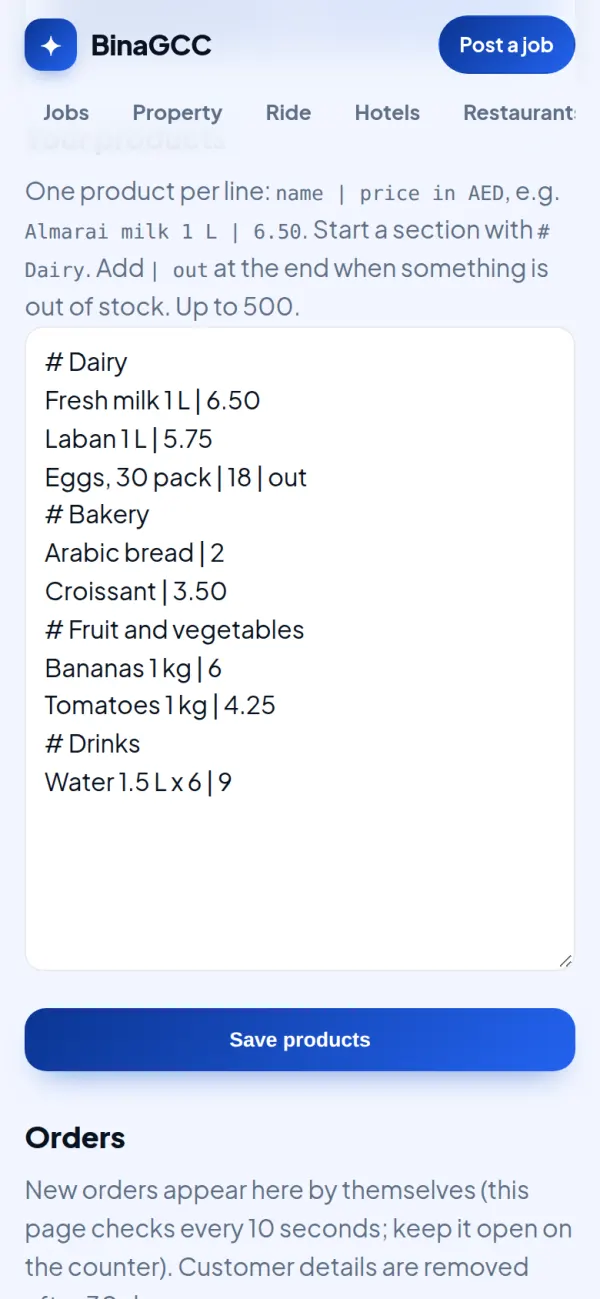
1. Type your products
After your page is approved, open your private link and press "Products and online orders". One product per line with its price in AED; start a section with # (e.g. # Dairy); add | out when something is out of stock. Up to 500 products.
2. Customers fill a basket
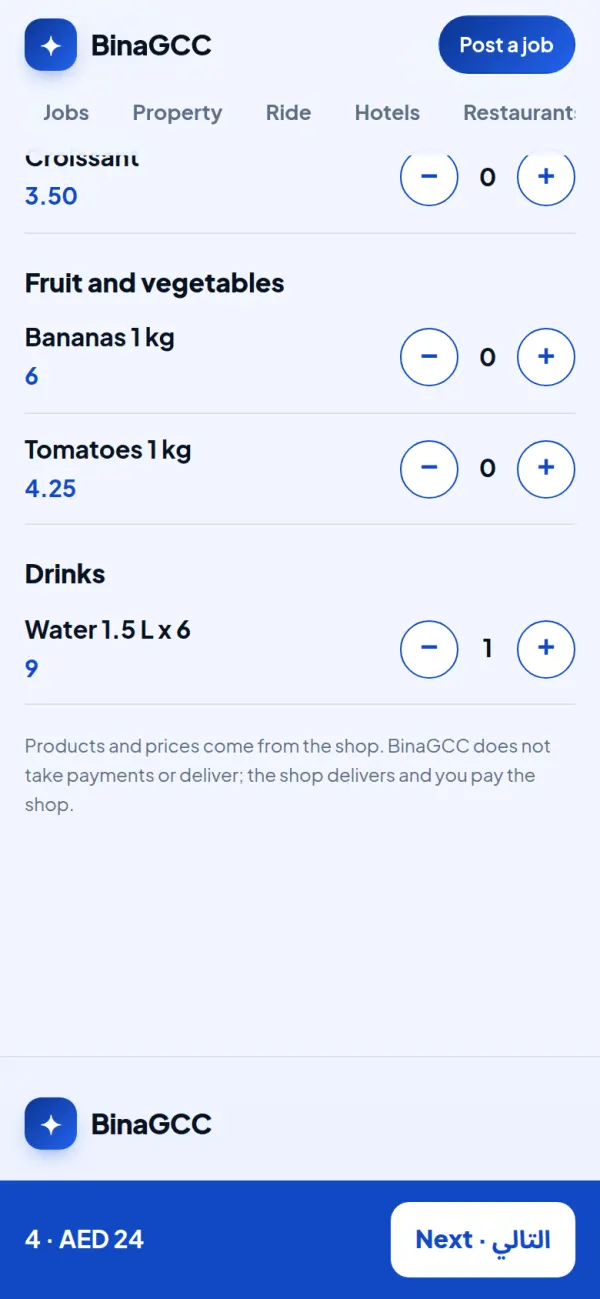
On your page they press "Order online" (no app), pick products and see the total. Prices come from your list only. With more than 20 products they also get a search box.
3. Pickup or delivery
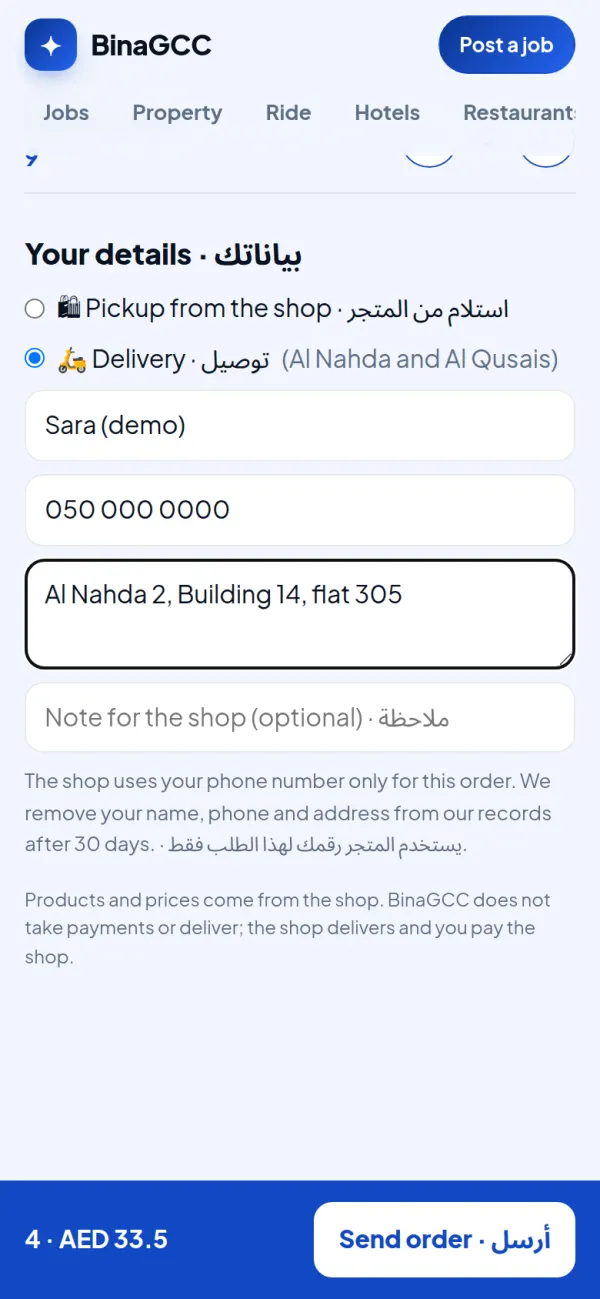
You choose what you offer: pickup, delivery or both, the areas you deliver to, a minimum order and a delivery fee. The customer gives a name and a UAE mobile number, and an address for delivery.
4. Orders appear on your screen
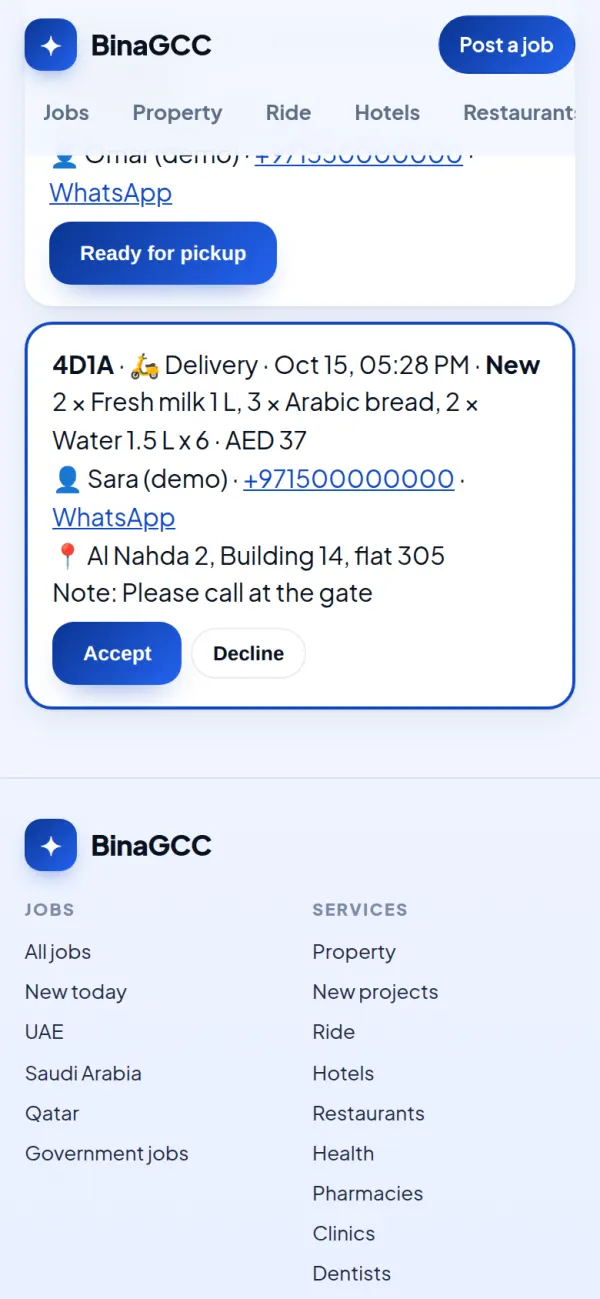
Keep the page open on the counter: new orders appear by themselves with a sound. Press Accept, call or WhatsApp the customer, then Ready for pickup or On the way, then Done.
5. The customer follows the order
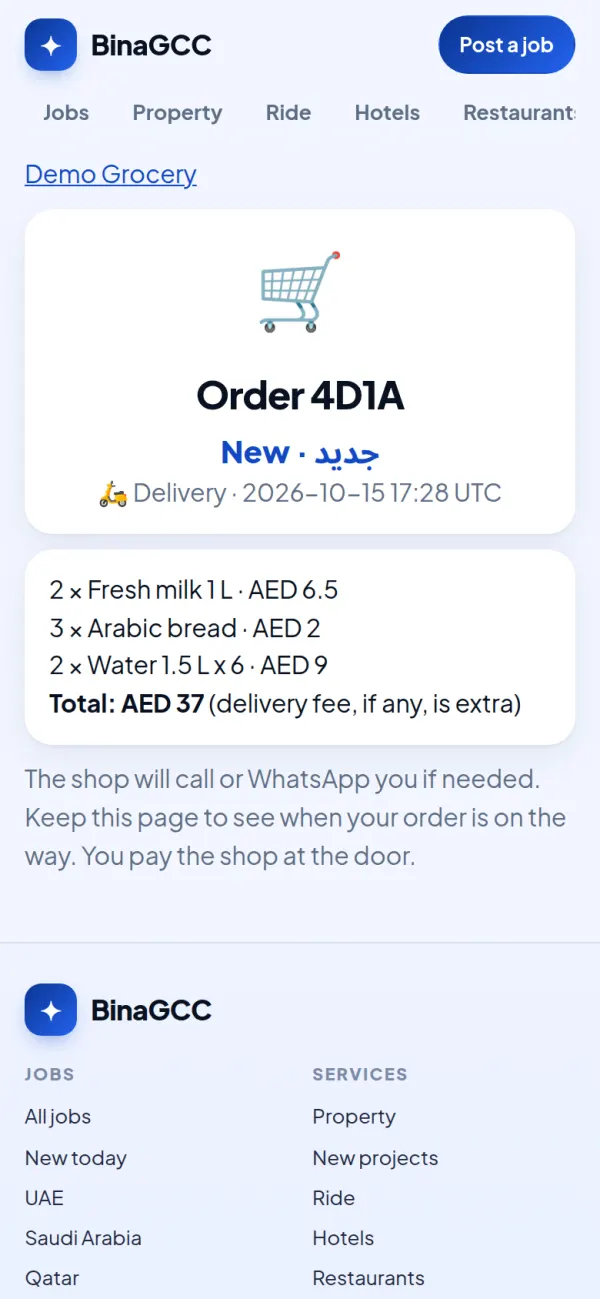
After sending, the customer gets a private page that shows when the order is accepted, ready or on the way.
6. Print a QR flyer for your customers
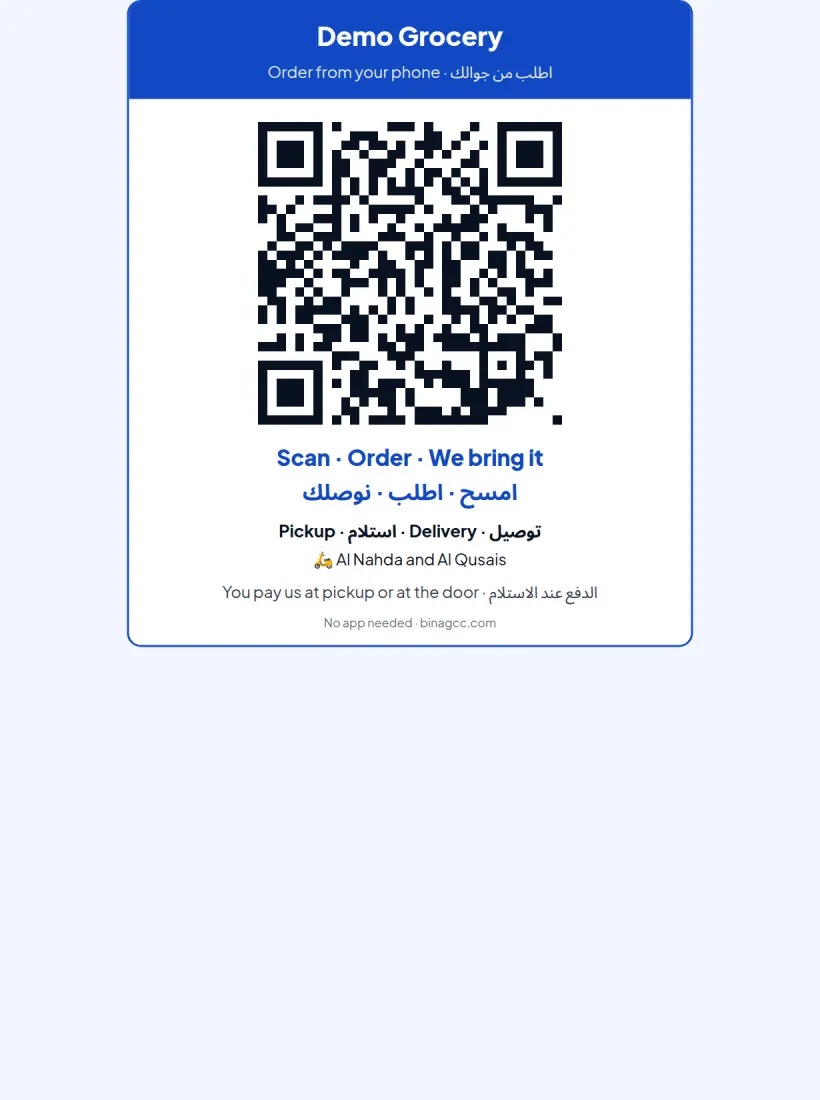
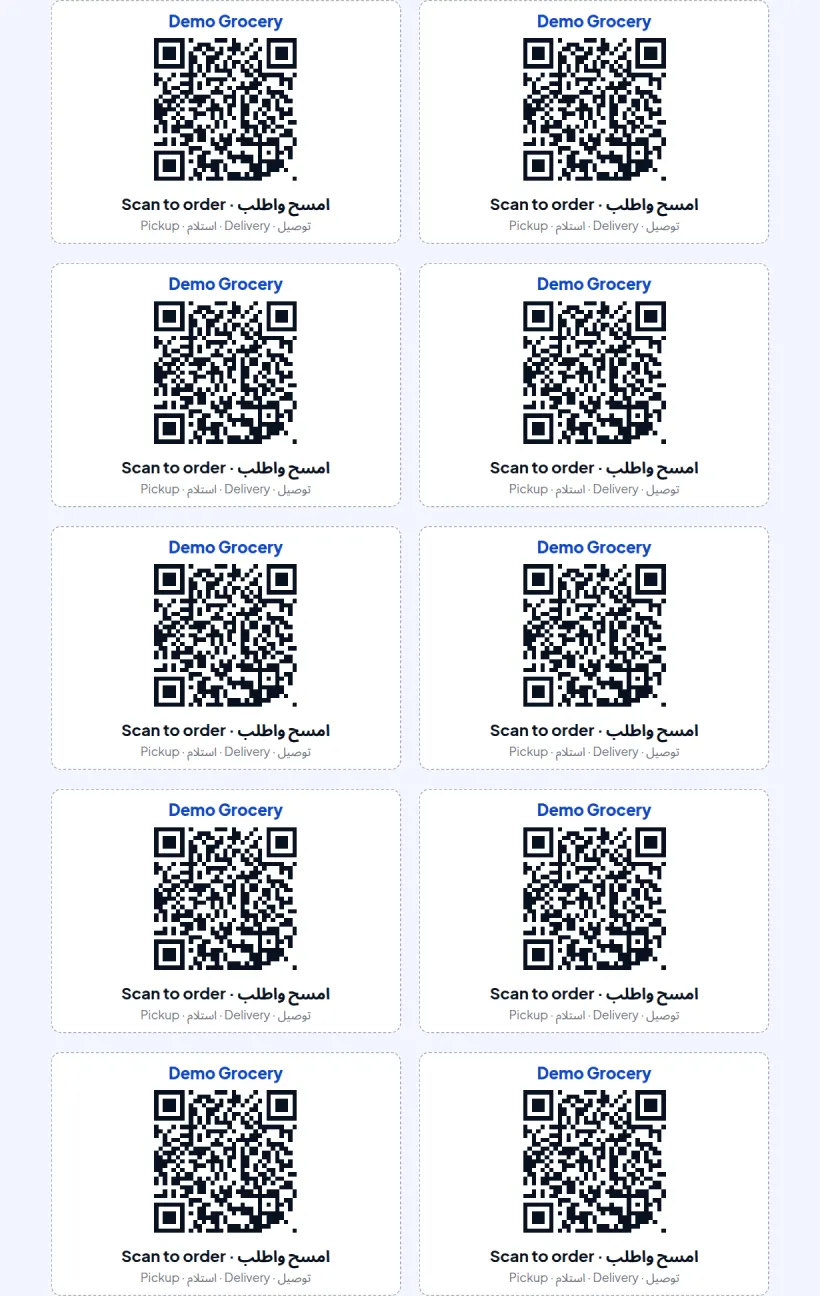
Print a flyer for the door or the counter, or 10 small cards per page for shopping bags. Customers scan it and order from their phone. Orders from it are marked “QR”, so you can see the flyers work.
7. Small hand-out cards
The same QR on small cards, ready to cut out.
Screenshots from a demo grocery with example products and example customers.
FAQ
Your shop page is free. Online orders are free for your first month (it starts when you switch them on), then AED 99 a month per branch. Cancel any time; your page stays free.
No. The customer pays you at pickup or at the door, cash or card, as you do today. BinaGCC takes no commission and no payment.
You do, with your own staff or driver. BinaGCC does not deliver.
Only your shop sees the customer’s name, phone and address, for that order. We remove them from our records after 30 days.
Find your shop on BinaGCC, press "Claim this page" (free) with a work email on your website’s domain or your trade licence number, and once the team approves it you get your private link.
Online orders switch off by themselves unless you continue. Your shop page stays up, free.